

Register

A point of sale register for every table, booth and pop-up

The Register is the part other crosslisters left out. Scan a tag, take the payment, and the sale lands in the same inventory as your online listings, so nothing sells twice.

Resell Row, the shop from the 3D tour, with its counter, shelves and racks
  • Tap to Pay on iPhone
  • Cash with change due
  • Venmo and Zelle
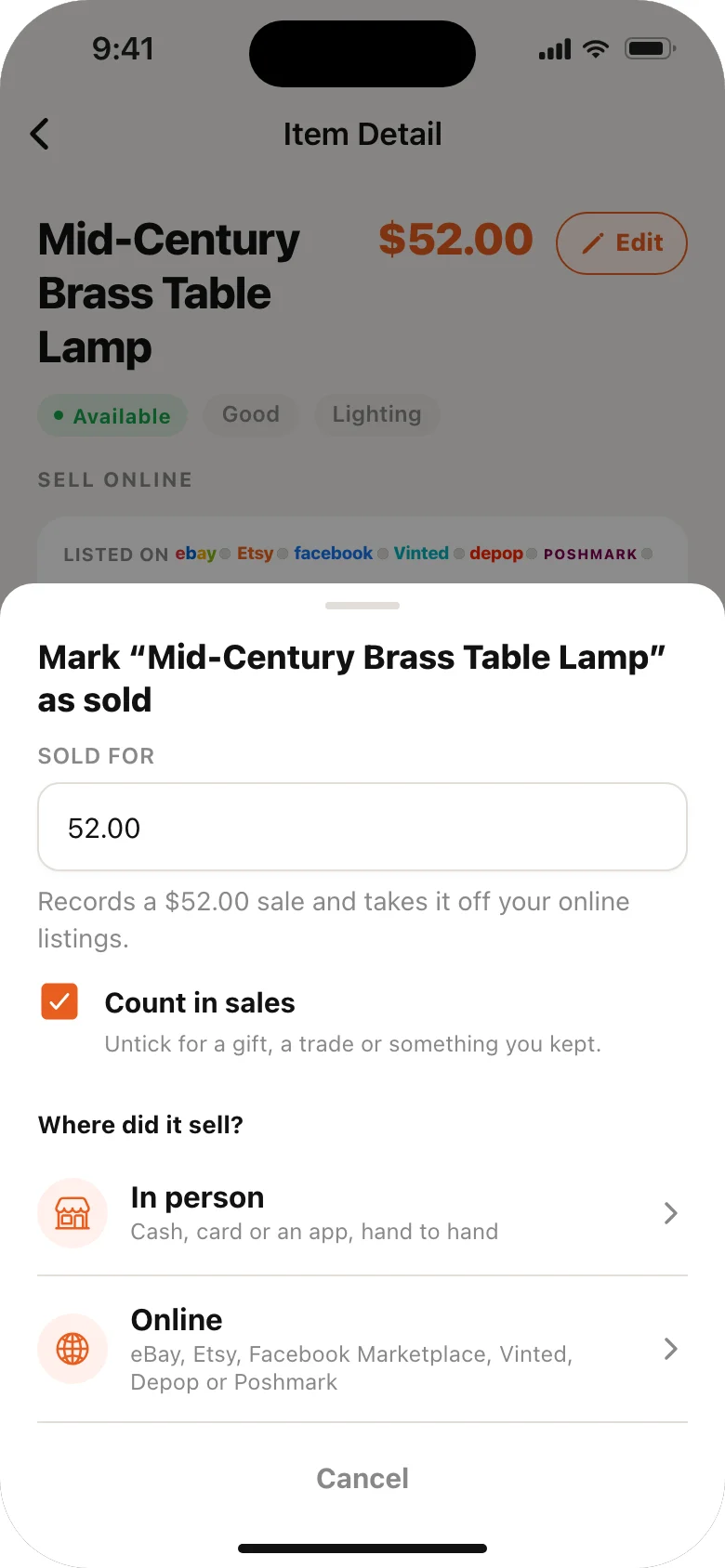
Mark as Sold in the VendorSnap app: where did it sell, in person or online

At your table

Every way your buyers pay you.

Scan an item's QR tag or tap it in the catalog, take the payment, and the sale lands in the same inventory as your online listings.

How did they pay?

Tap to Pay on iPhoneContactless, no readerPro
CardFrom any terminal, recorded
CashChange due, worked out
VenmoYour handle, shown to the buyer
ZelleYour email or number, shown to the buyer

Cash, card, Venmo, Zelle and Tap to Pay

Tap to Pay on iPhone takes contactless cards with no reader (Pro, with a Square account, in the U.S.).

Brass table lamp$52.00 · listed on six marketplaces

Where did it sell?

  • In personSoldRung up on the Register
  • eBayEndedIn seconds
  • EtsyEndedIn seconds
  • Marked soldBy your phone
  • VintedTaken downBy your phone
  • depopTaken downBy your phone
  • PoshmarkTaken downBy your phone

Rung up, taken down online

Ring it up on the Register and that item's eBay and Etsy listings end in seconds. The double sell every in-person seller fears, closed.

  • 3 for $10
  • 10% off
  • $5 off

Discounts and bundles

A percent or dollars off, or a bundle deal like 3 for $10.

  • Sales tax at your rate
  • Itemized receipt

Sales tax and receipts

Your rate on every sale, and an itemized receipt sent from your phone.

0bars needed

No signal? Keep selling

Sales are saved on the phone and sync when you are back online.

What it does

  • Scan or tap. Scan an item's QR price tag, or tap it in the catalog.
  • Every way people pay. Cash with change due, Venmo and Zelle, and card sales from any terminal. Tap to Pay on iPhone takes contactless cards with no reader (Pro, with a Square account, in the U.S.).
  • Discounts and bundles. Take a percent or dollars off, or set bundle deals like "3 for $10".
  • Sales tax at your rate, shown on the sale.
  • Receipts: send the buyer an itemized receipt from your phone.
  • No signal? Sales are saved on the phone and sync when you are back online.

Why it matters for crosslisters

Ringing a sale up on the Register marks the item sold and ends its eBay and Etsy listings in seconds. That is the double sell every in-person seller fears, closed. See selling in person and online.

Your numbers in one place

In person and online sales share one dashboard: today, this week, recent sales, and a tax summary with a spreadsheet export for your accountant (Pro).

More from VendorSnap

Questions and answers

Is the Register free?

Yes. The Register, cash, Venmo, Zelle and recording card sales are free. Tap to Pay on iPhone is part of Pro.

Does VendorSnap take a cut of my sales?

No. VendorSnap never takes a percentage. Card processing through Square is charged by Square at its own rates.

VendorSnap for iPhone and Android

Listed before you're out the door.

Snap it in the aisle, Price Check it against live eBay listings, and list it on eBay, Etsy, Facebook Marketplace, Vinted, Depop and Poshmark, all from your phone. Free on the App Store and Google Play.

Download on the App Store Get it on Google Play
QR code: scan with your phone camera to get VendorSnap
On a computer?Scan with your phone's camera to get the app.
Start your free week on the web